
Statistics
In this guide, we will detail the "Statistics" tab as it appears on the Bolt EV platform.

Kostas Gardikiotis
Last Update 2 years ago
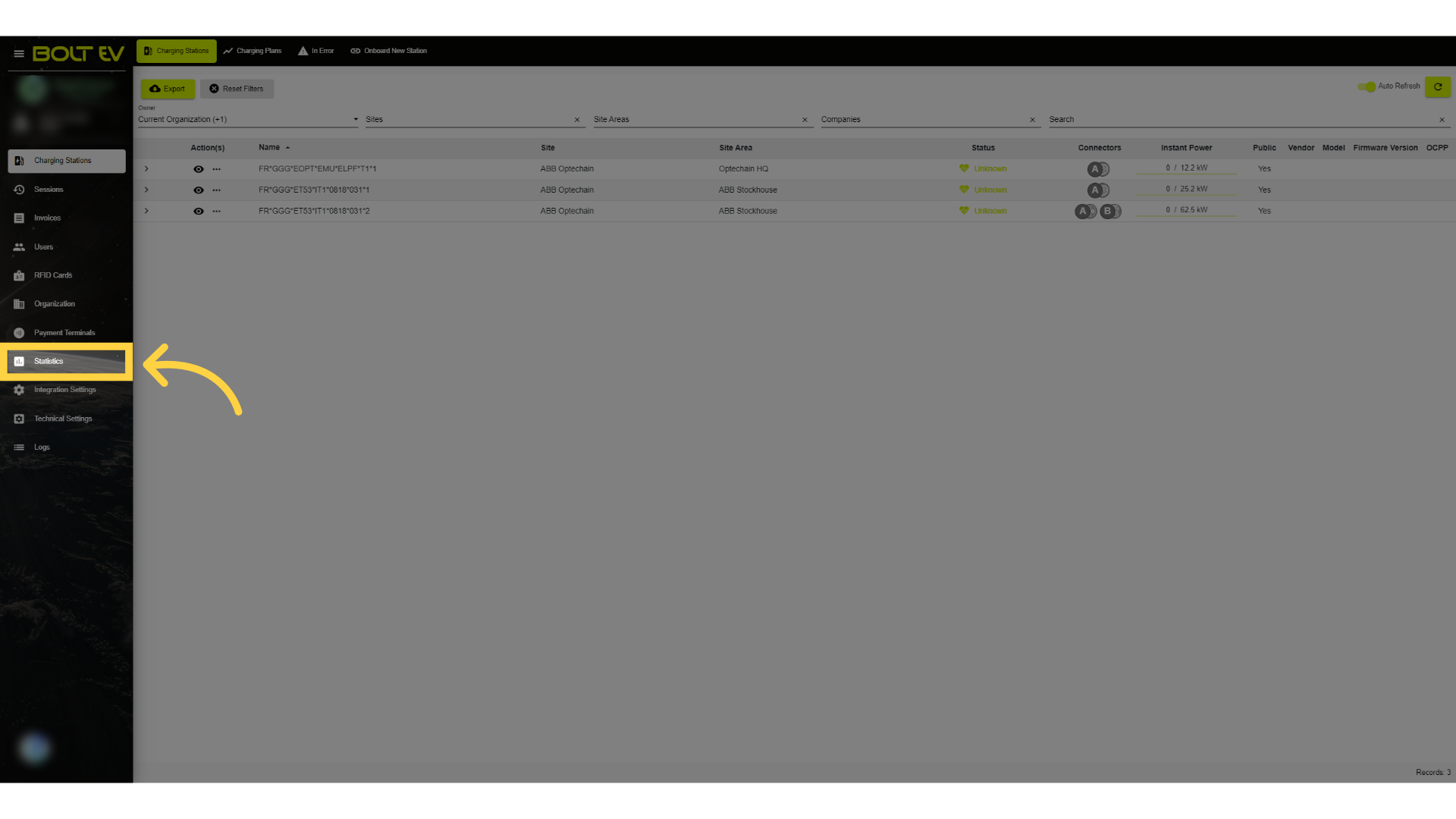
1. Click "Statistics"
Access the statistics section by clicking on the left side of the main screen.
2. Main page
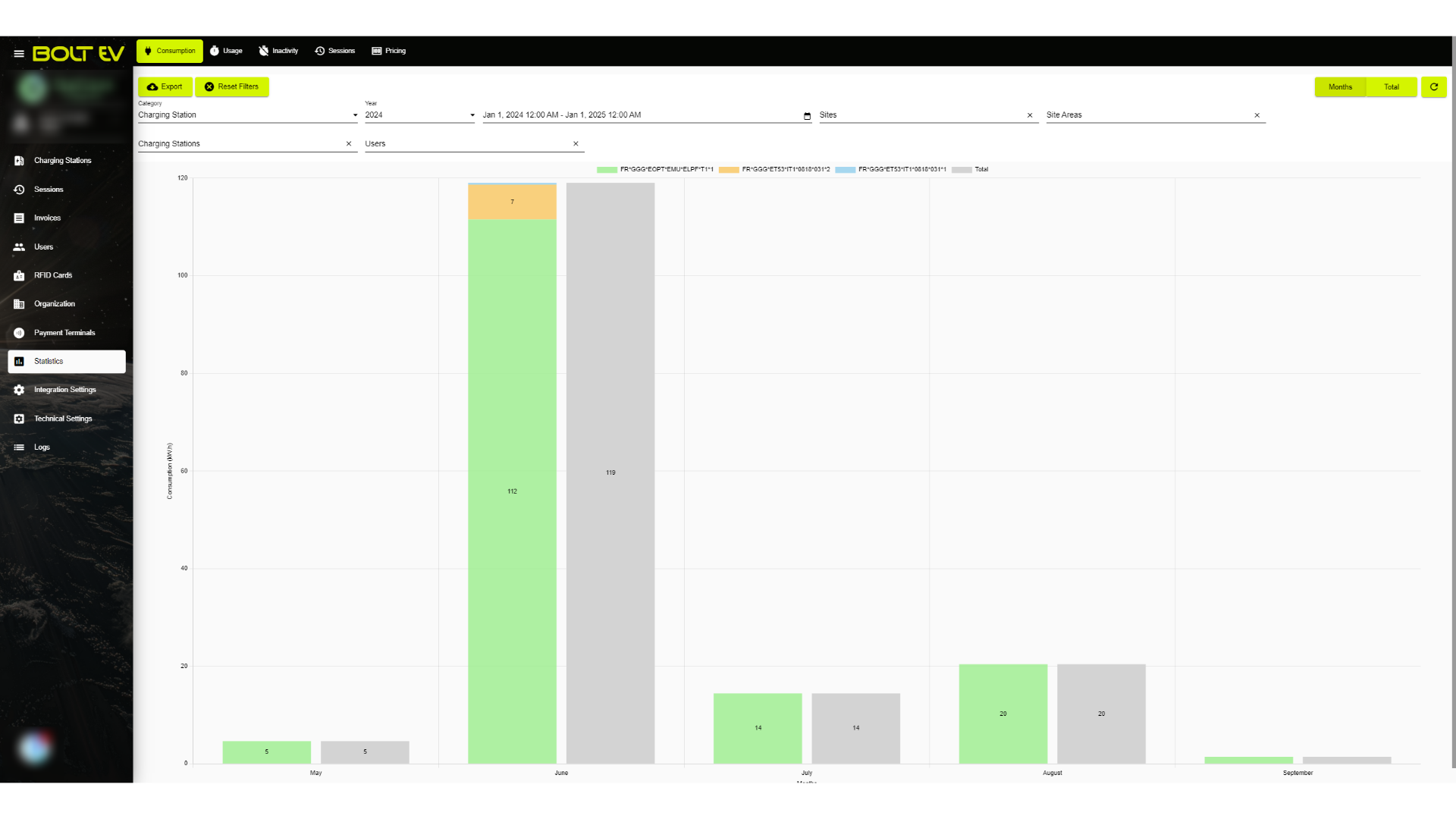
The first step we take is to go to the "Statistics" tab. Here we will take a detailed look at the information we can obtain through statistics in graphical form on the Bolt EV platform. In this image, we can see in detail the consumption in kilowatt-hours of a charger, which has been totaled over the months. Next, we will look step by step at the filters we can apply to the graph below.
3. Category
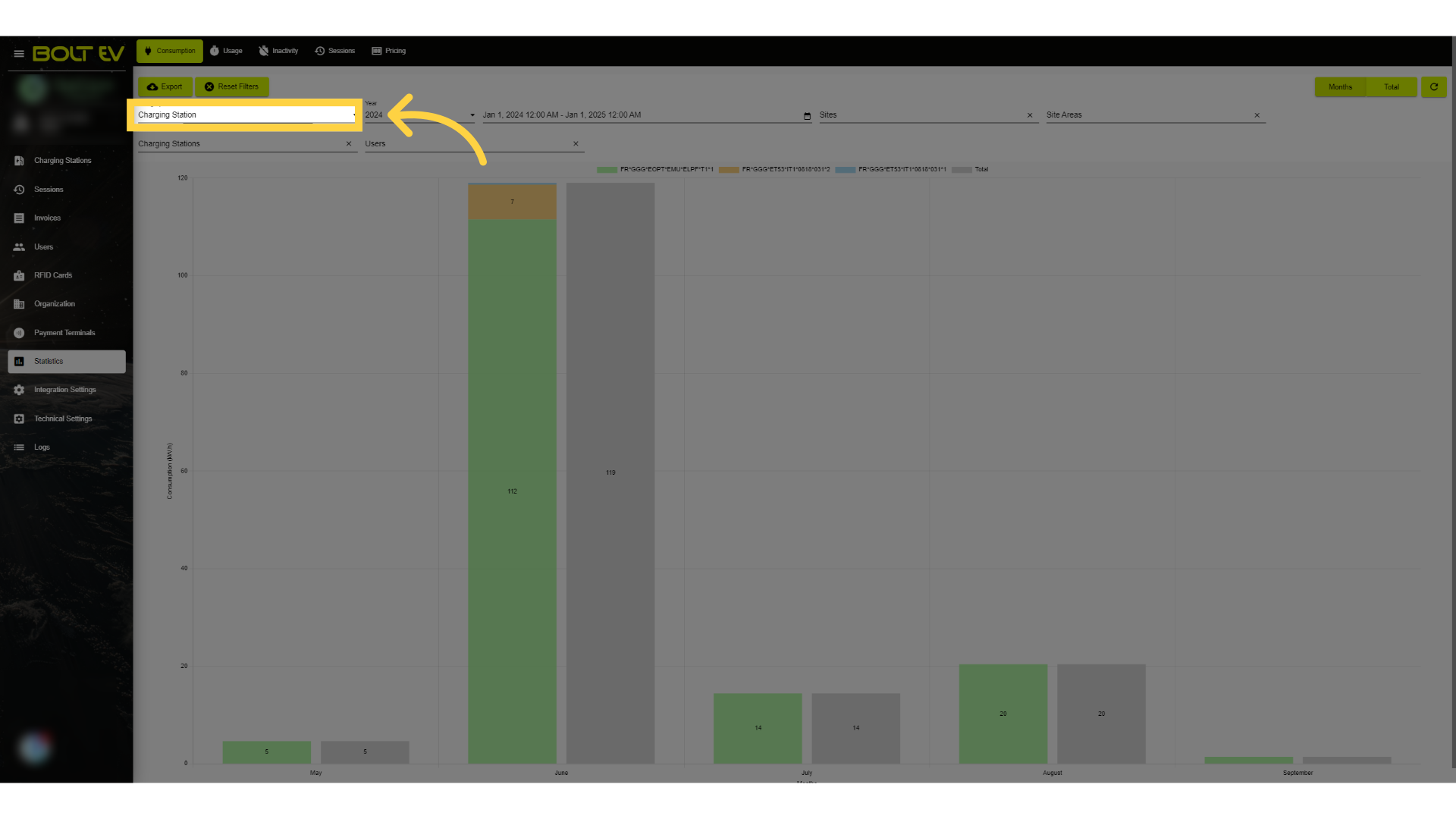
We start by clicking on the "category" field.
4. Category selection
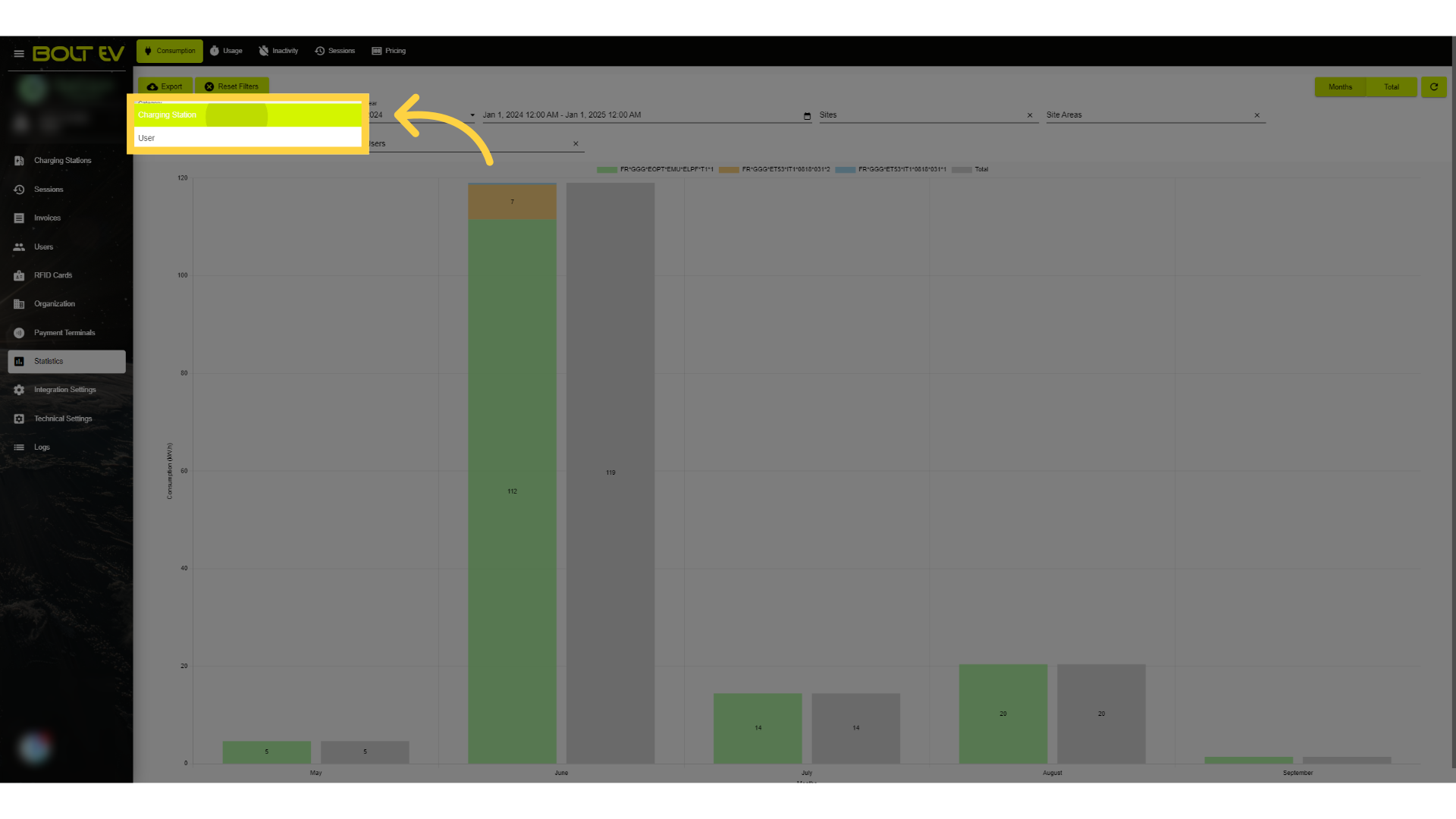
Here we see the choice we can make between a charging station and a user. Depending on what we choose, a new graph will be created that will show us the activity of our selection by month.
5. Year selection
In this field, we can choose which year we want the graph to display.
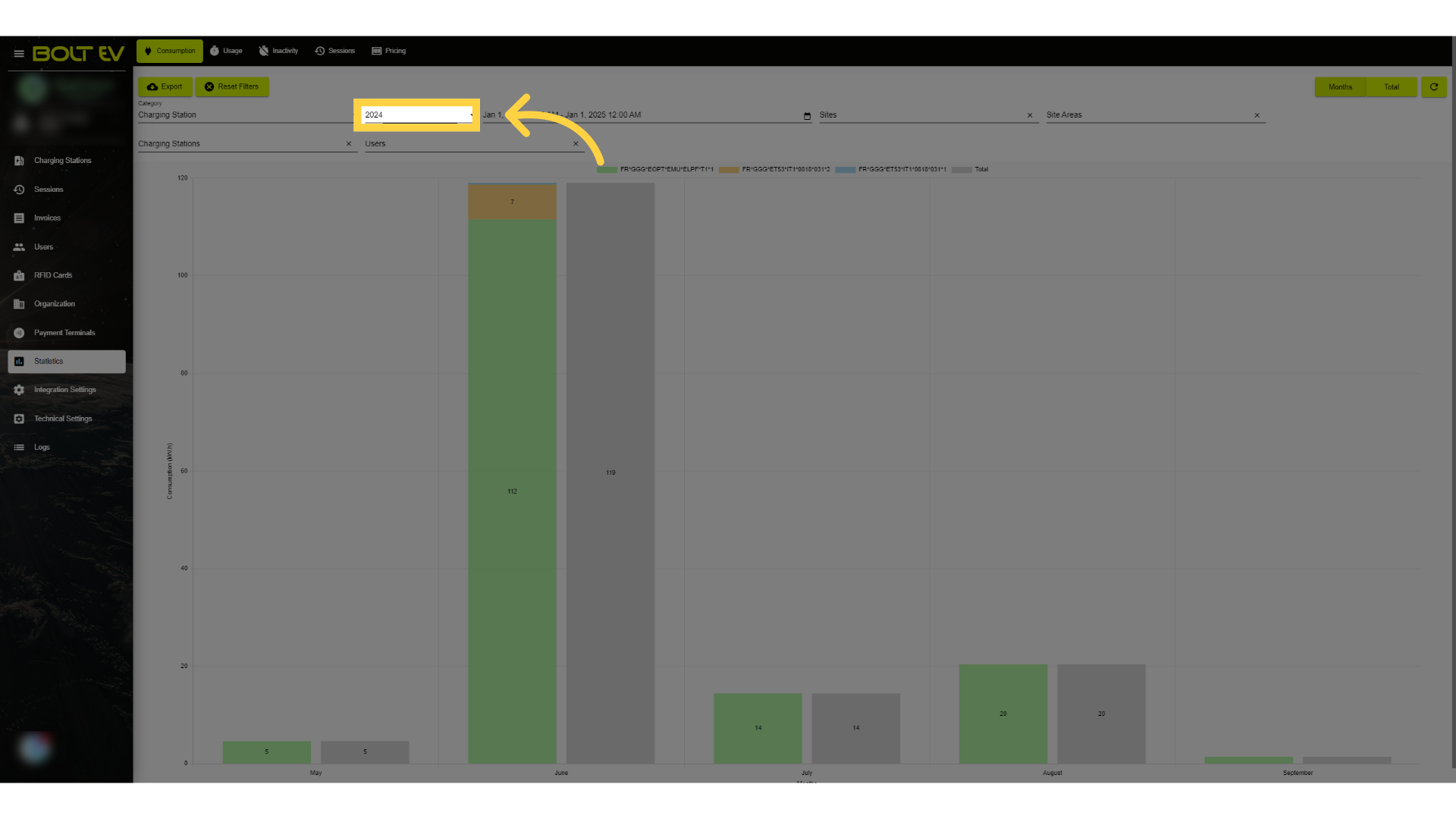
6. Dte selection
Select a date range.
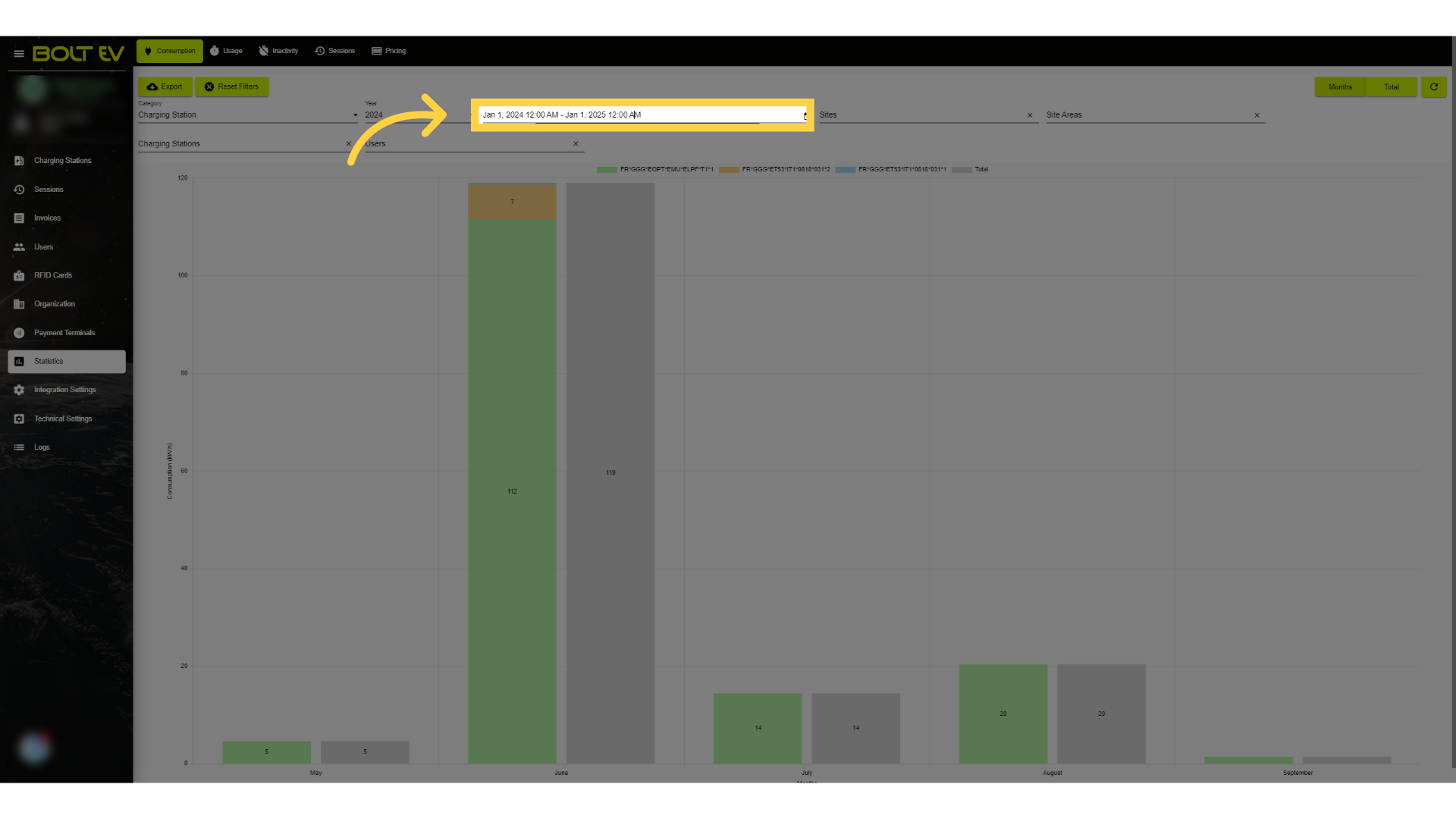
7. Site selection
Access the list of sites.
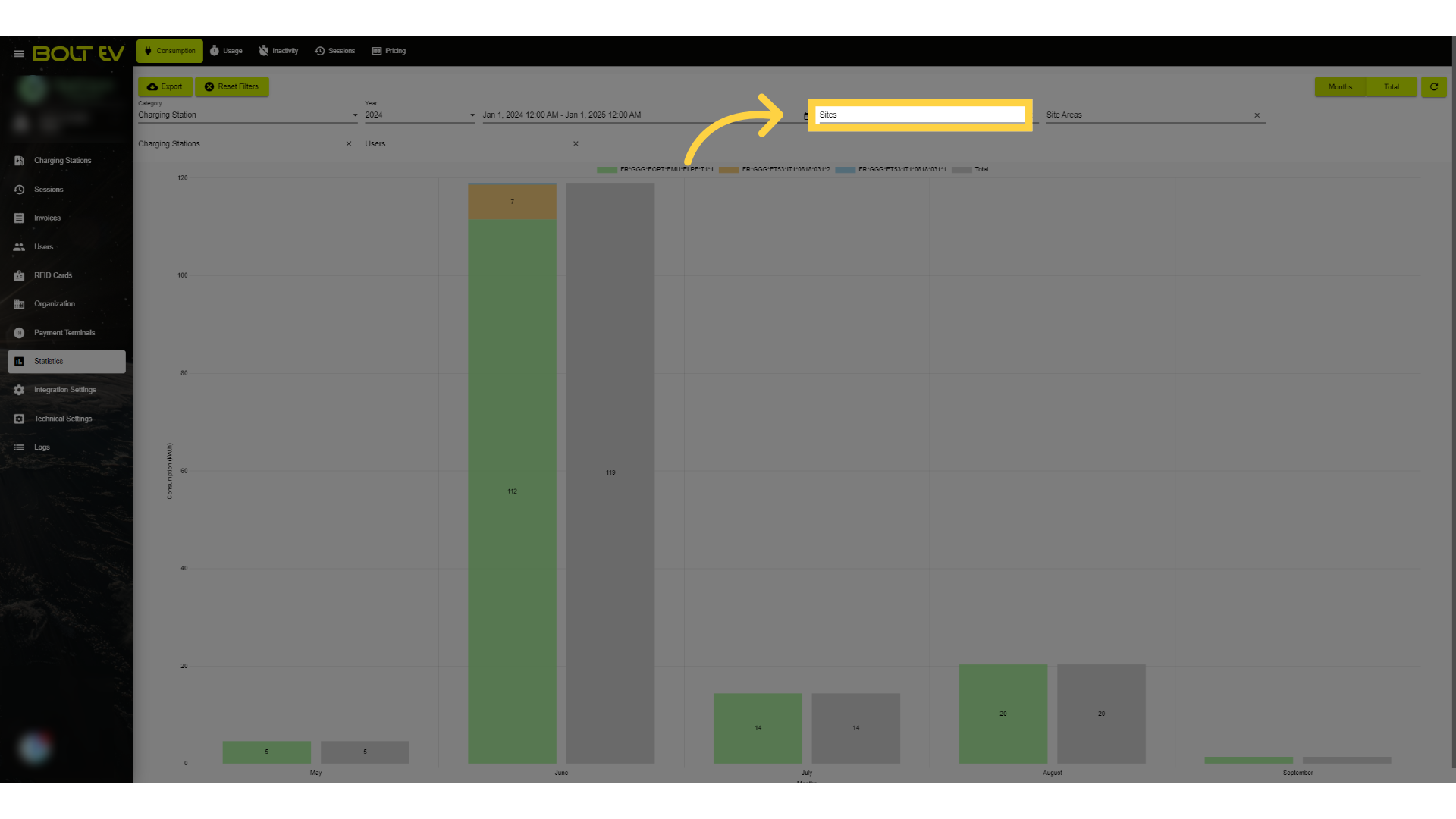
8. Site Area selection
Access the site areas section.
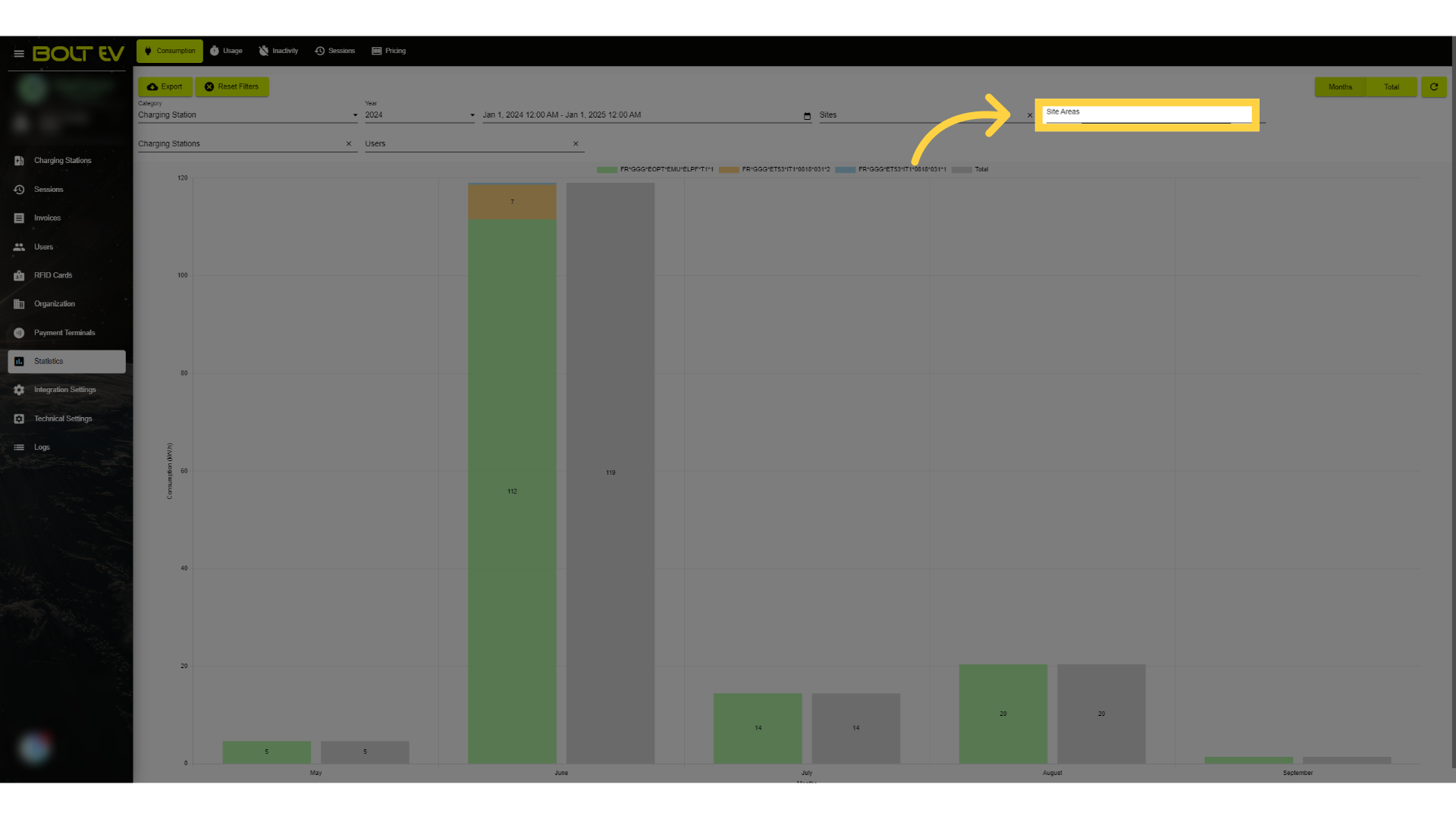
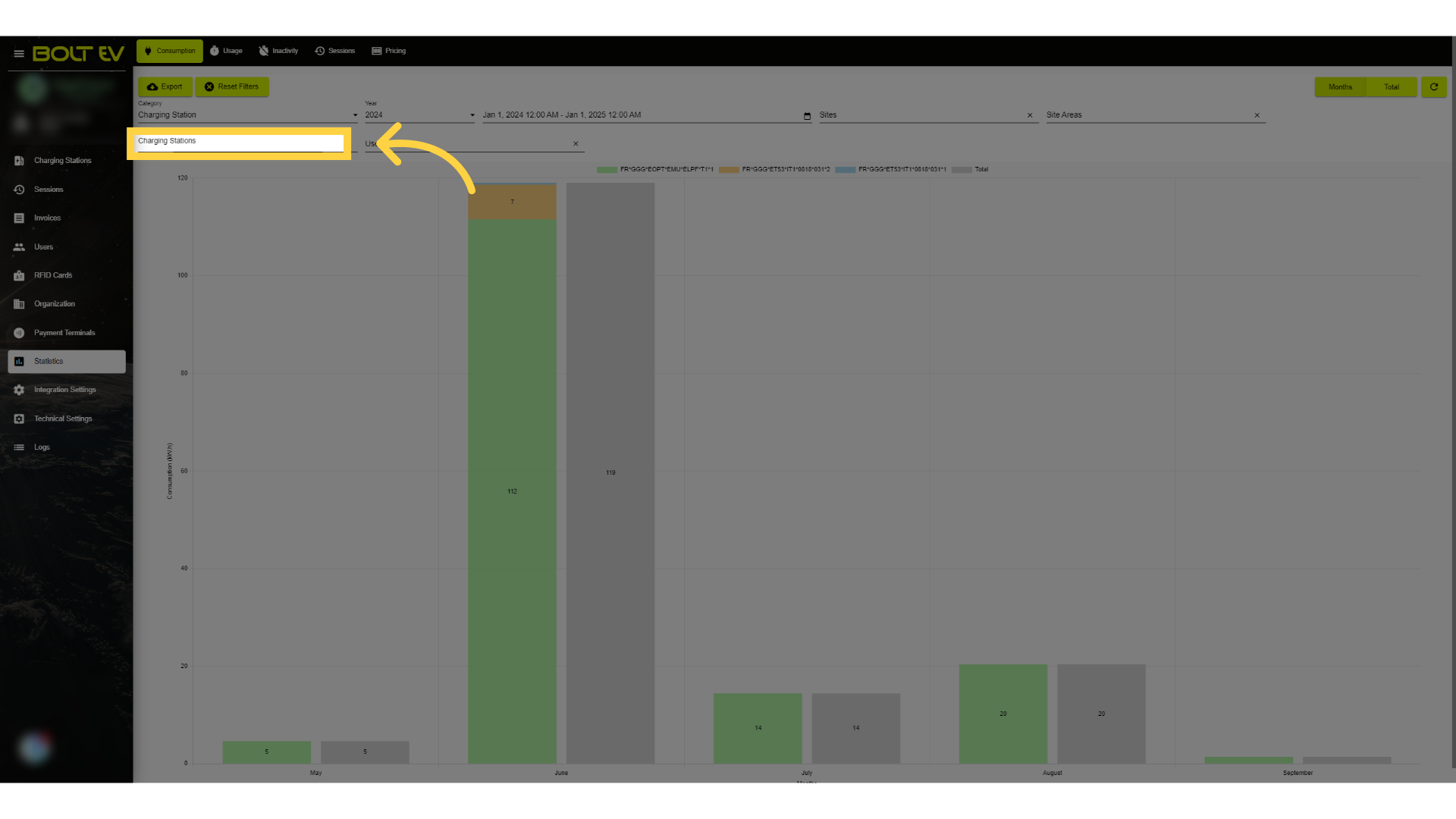
9. Charging Station selection
Then we click on the chargerging stations field.
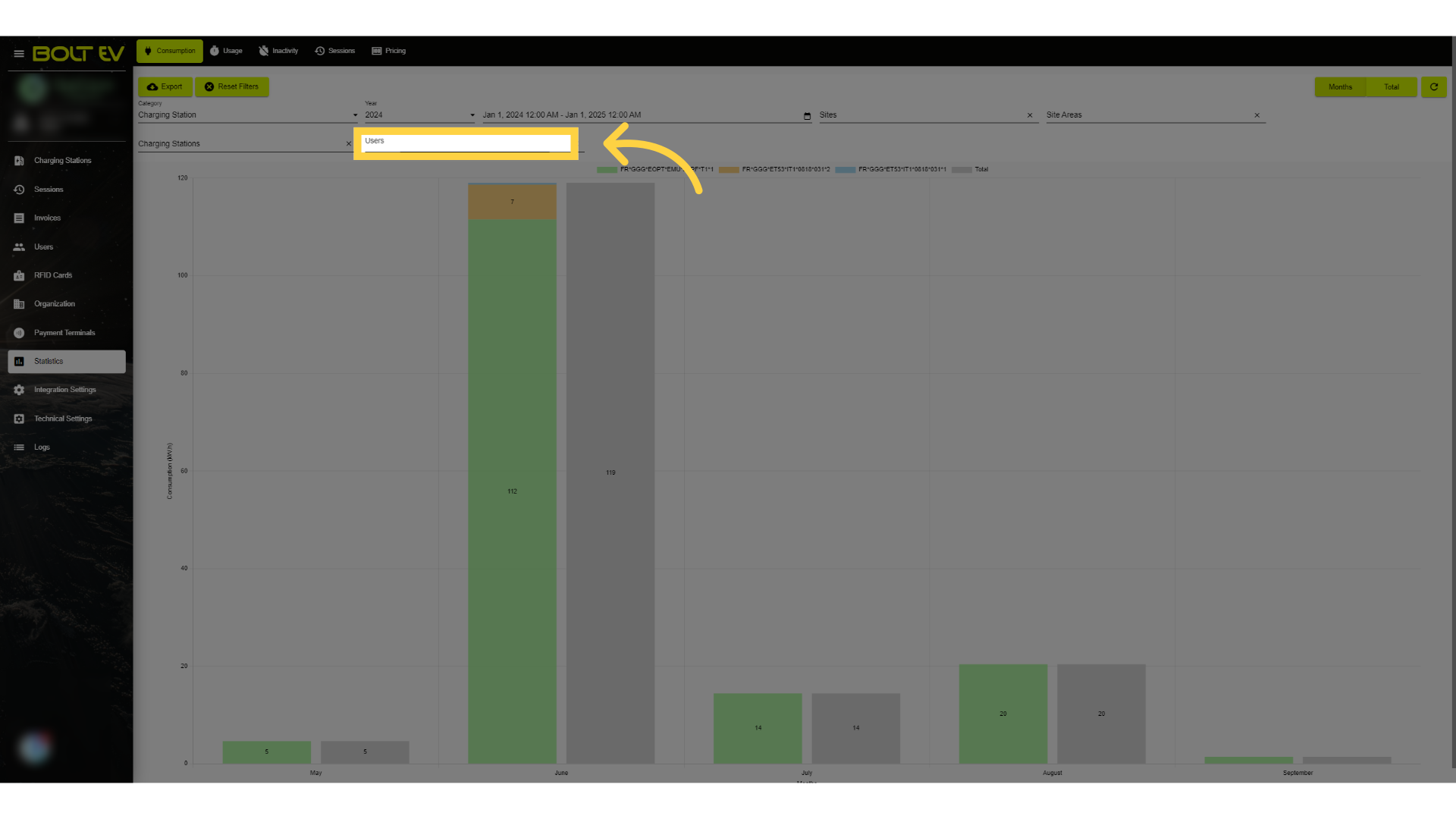
10. User selection
Access the users section.
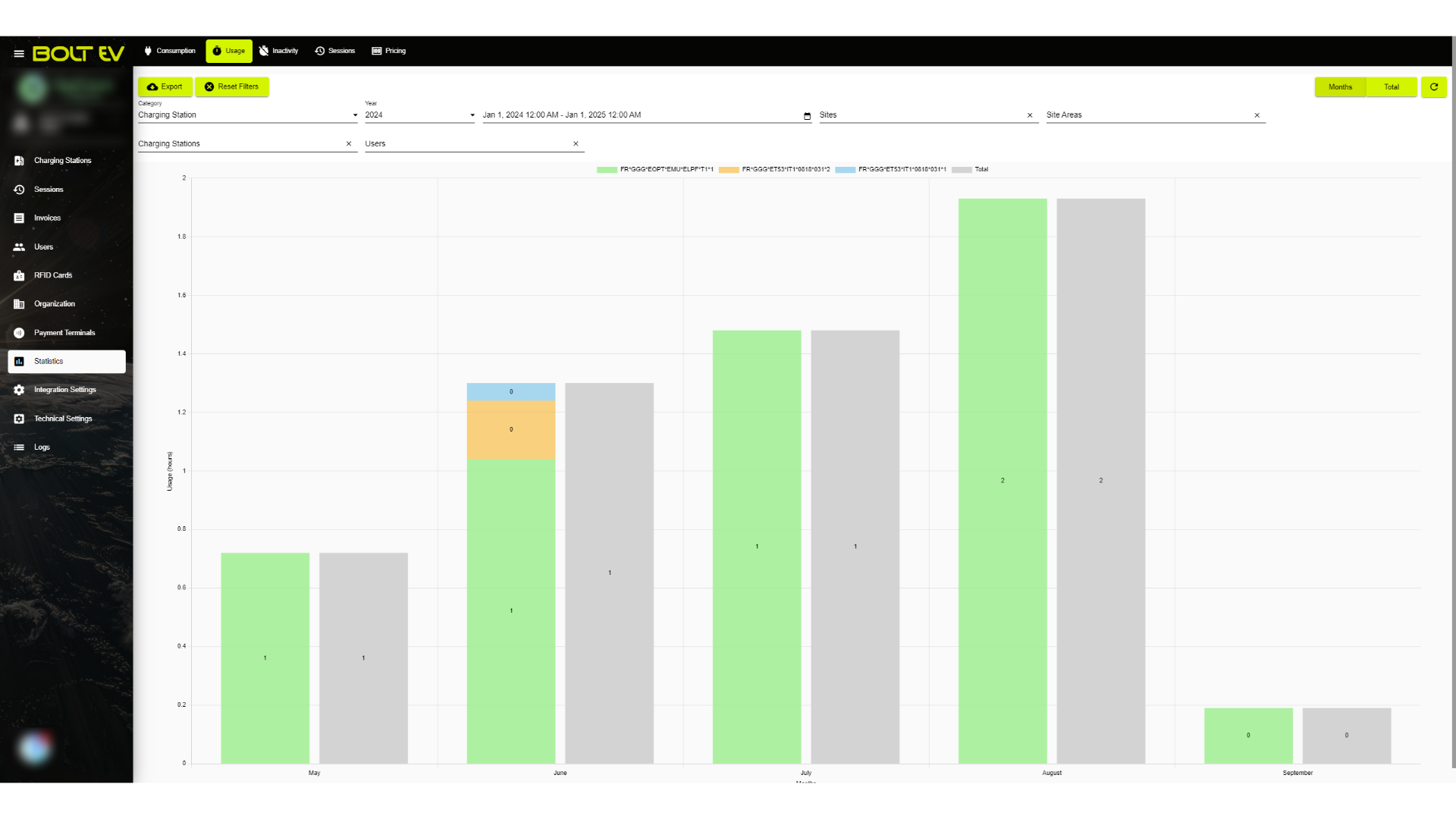
11. Usage
Furthermore, in addition to consumption, another option available to us is to view the usage of the charger or the payment terminal over the months by applying the desired filters in the manner we demonstrated earlier.
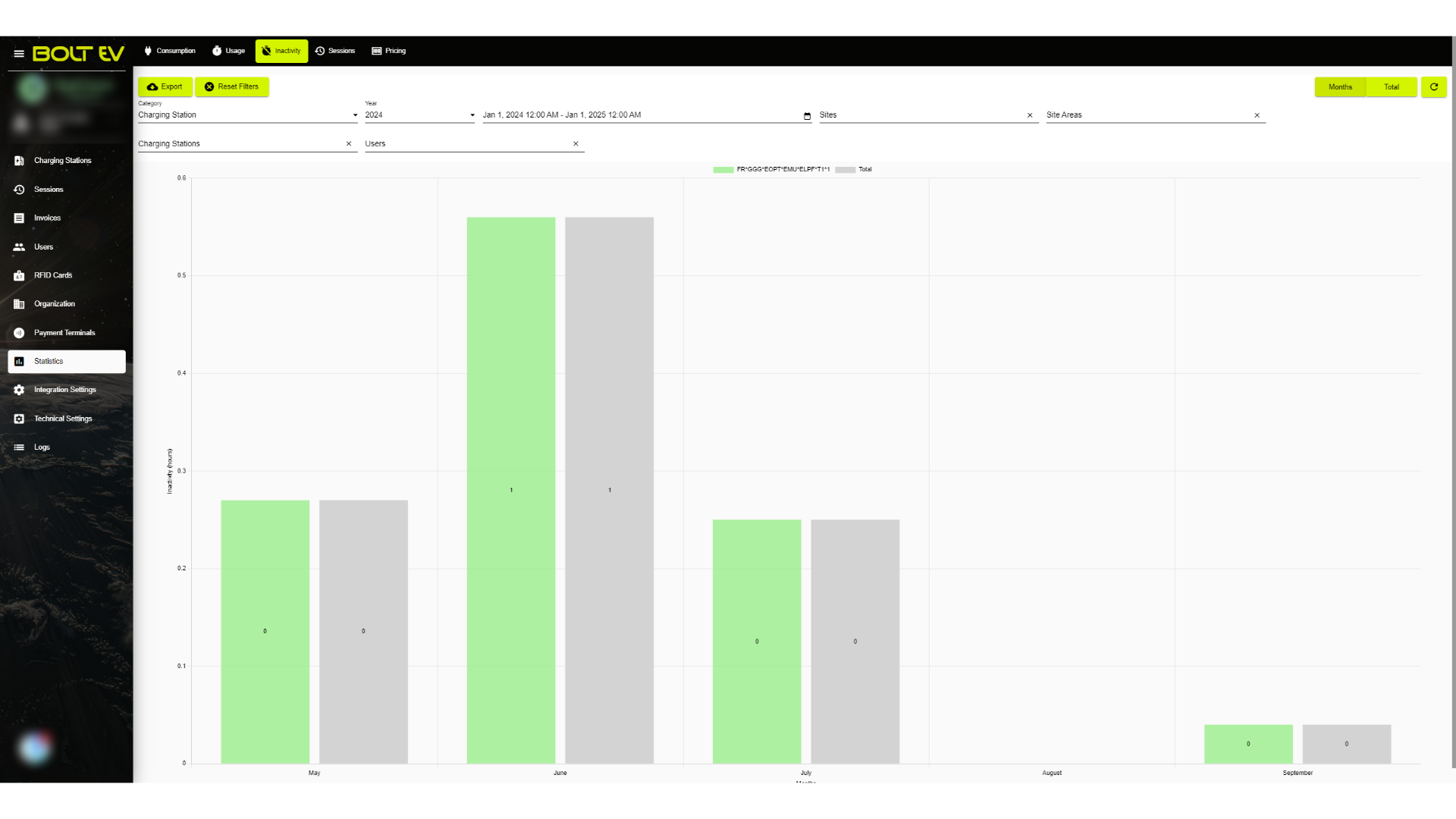
12. Inactivity
We can even view the charger or payment terminal's inactivity.
13. Sessions
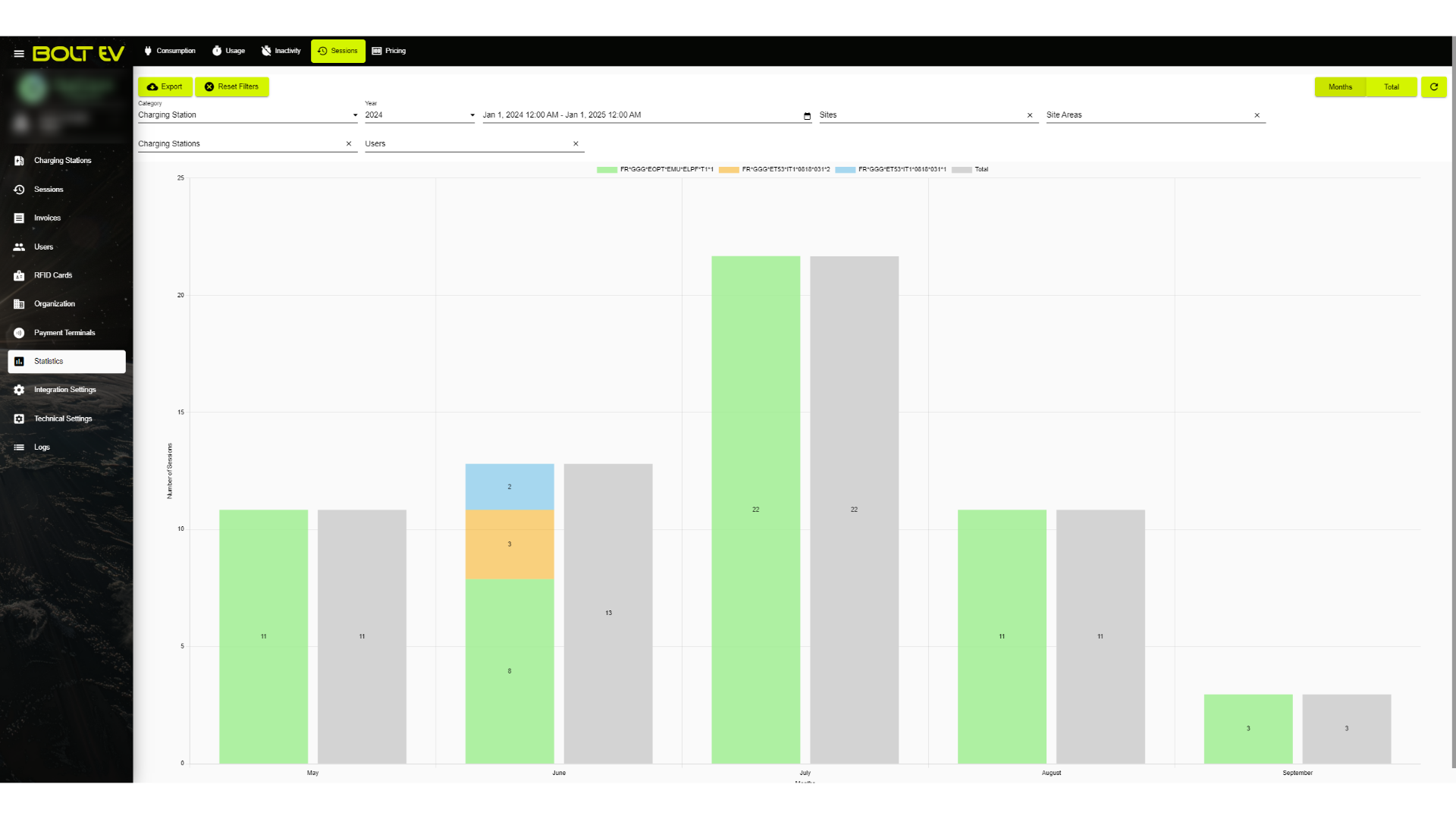
We can also see the sessions of the charger or the payment terminal.
14. Pricing
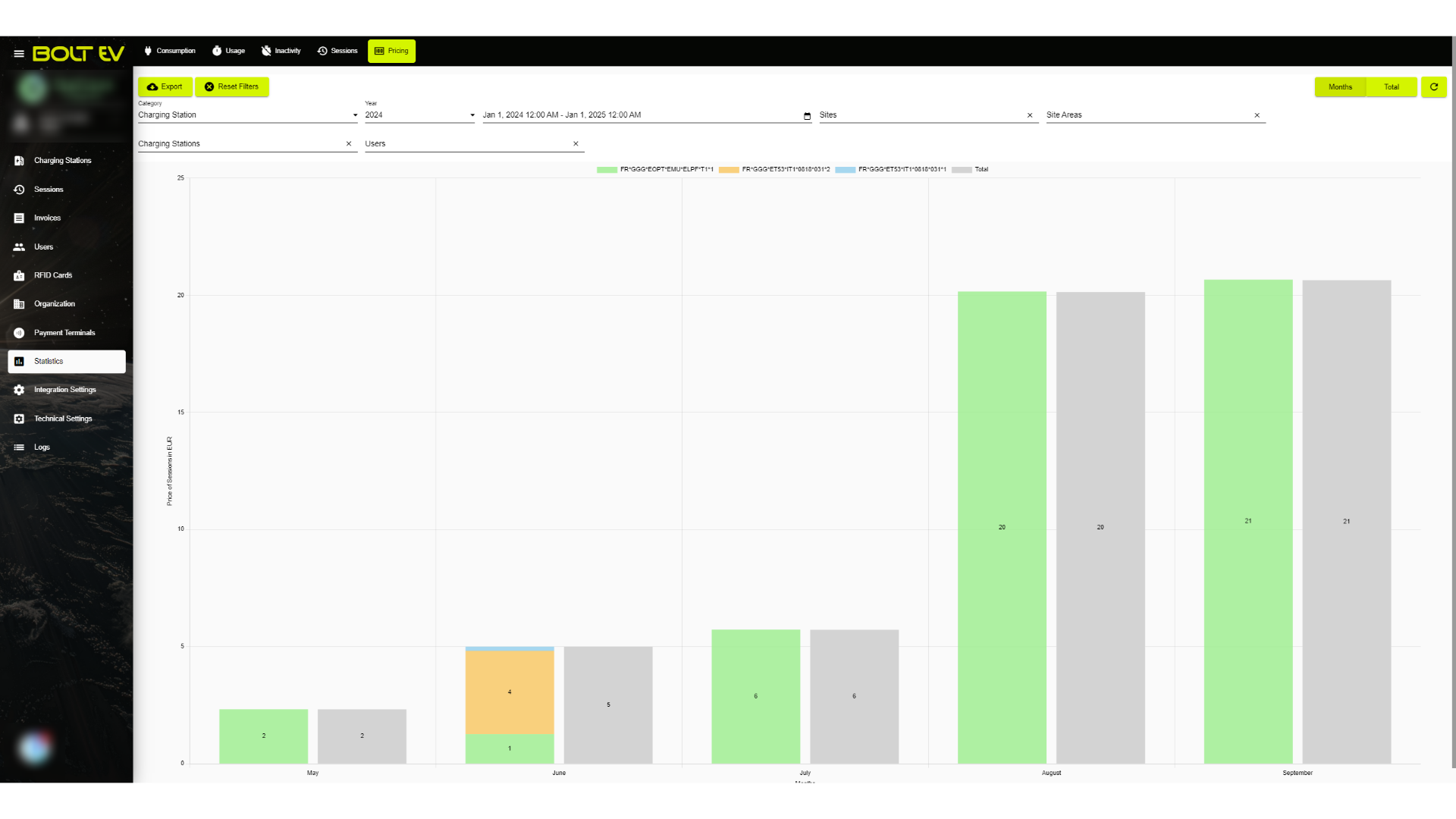
Finally, we may look at the pricing, which is the monthly cost of the sessions in euros.
This guide thoroughly covered the "Statistics" section on the Bolt EV platform. We looked in detail at how to navigate the "Statistics" sections, the information we can gather from the graphs, and the filters we can apply. Thank you for your attention, I hope to see you on the next one!